Staying connected with friends, family, and coworkers is easier when you have a reliable messaging app. However, finding the right app can become confusing when a familiar service suddenly stops working. The Message+ app, previously known as Verizon Messages, was once a popular choice for sending texts and sharing conversations across multiple devices.
Many people still search for this app because they want to understand its features, download it, or recover their old messages. Unfortunately, Verizon has officially discontinued the service.
In this guide, you will learn what the Message+ app was, how it worked, why Verizon shut it down, and which alternatives you can use today.
What Is the Message+ App?
The Message+ app was a messaging application developed by Verizon. It allowed users to send and receive text messages, share pictures, exchange videos, and communicate with friends and family.
One of its most useful features was the ability to synchronize conversations across compatible devices. For example, users could start a conversation on their smartphones and continue it on a tablet or computer.
Unlike some messaging services that required users to communicate through separate accounts, Verizon Messages used a mobile phone number for traditional texting.
The app was especially useful for people who wanted to manage their conversations from different devices without constantly switching between screens.
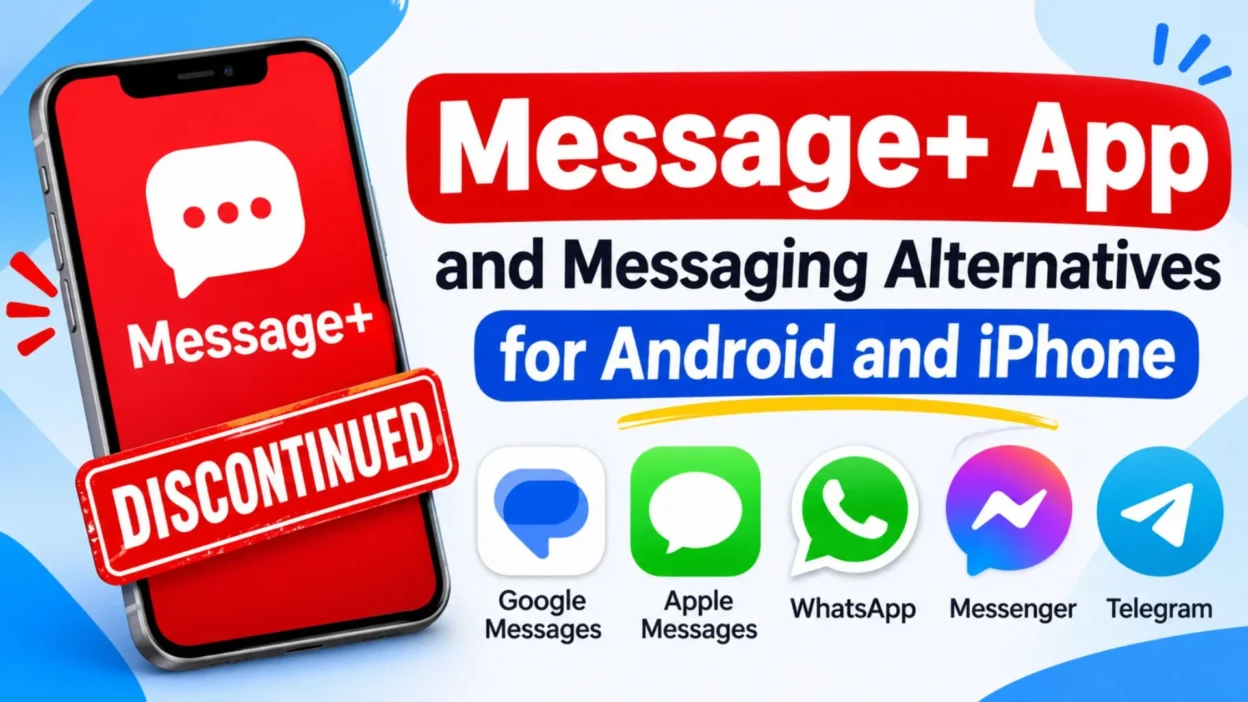
However, Verizon discontinued Message+ on December 9, 2024. Therefore, it is no longer available as an active messaging service.
Why Was the Message+ App So Popular?
The Message+ app became popular because it offered more than basic texting. It provided several convenient tools that made everyday communication easier.
People enjoyed its simple interface, customizable conversations, and multi-device messaging options.
Here are some reasons users liked the application:
- Multi-device access: Users could access conversations from compatible smartphones, tablets, and computers.
- Group messaging: People could create group conversations and communicate with several contacts.
- Photo sharing: The app allowed users to send pictures and other media.
- Conversation customization: Users could personalize backgrounds, fonts, and chat appearances.
- Scheduled messages: Users could prepare messages to be delivered at a later time.
- Auto-replies: Driving Mode could automatically respond when someone was unable to answer.
- Contact integration: The application used the phone’s existing contact list.
These features made the application convenient for personal and everyday communication.
Is the Message+ App Still Available?
No. The Message+ app is no longer available for sending or receiving messages.
Verizon officially completed its shutdown on December 9, 2024. Before the final closure, the company gradually began retiring the service in October 2024.
After the shutdown, users could no longer use the application to send or receive text messages. The app was also removed from the Apple App Store and Google Play Store.
This means downloading an old installation file will not restore the original messaging service.
If you previously used the application, you should switch to a supported messaging app instead.
Why Did Verizon Discontinue Message+?
Verizon discontinued Message+ as the messaging industry moved toward more modern communication standards.
One important development was Rich Communication Services, commonly known as RCS.
RCS provides a more advanced messaging experience than traditional SMS and MMS. Depending on device compatibility and network support, it can offer features such as typing indicators, read receipts, improved media sharing, and enhanced group conversations.
Verizon recommended Google Messages for Android users and Apple Messages for iPhone and iPad users.
The company also explained that Google Messages was becoming the standard messaging experience on its Android devices.
Rather than maintaining a separate messaging platform, Verizon encouraged customers to use the messaging applications already supported by their devices.
Best Alternatives to the Message+ App
Although Message+ is discontinued, you still have several reliable ways to communicate with other people.
The right replacement depends on your device, messaging preferences, and the features you need.
Here are some popular alternatives worth considering.
Google Messages
Google Messages is the recommended replacement for Android users who previously relied on Verizon Message+.
It supports traditional SMS and MMS messaging, along with RCS features when supported by the device, carrier, and recipient.
Some useful features include:
- Sending and receiving text messages.
- Sharing photos and videos.
- Creating group conversations.
- Using RCS messaging with compatible contacts.
- Viewing typing indicators when supported.
- Accessing conversations on supported computers through Google Messages for Web.
Another advantage is its straightforward interface. Most Android users can start using it without creating a separate messaging account.
If you are looking for a replacement for Message+ on an Android phone, Google Messages is a sensible starting point.
Apple Messages
Apple Messages is the natural replacement for iPhone and iPad users.
It supports SMS, MMS, and iMessage. It also supports RCS on compatible devices and networks.
Its main features include:
- Sending regular text messages.
- Sharing photos and videos.
- Creating group conversations.
- Sending iMessages to other Apple users.
- Using message effects and reactions.
- Synchronizing supported conversations across Apple devices.
If you previously used Message+ on an iPhone, you can use the built-in Messages application instead.
There is no need to install the old Verizon application again.
WhatsApp is another popular option for people who want more than traditional texting.
It allows users to communicate through an internet connection using phone numbers.
Its features include:
- Individual and group chats.
- Voice and video calls.
- Photo and video sharing.
- Voice messages.
- Document sharing.
- End-to-end encrypted personal messaging and calls.
WhatsApp is particularly useful when communicating with people in different countries.
However, both participants generally need internet access and WhatsApp accounts to communicate through the service.
Facebook Messenger
Facebook Messenger provides another way to stay connected with friends, relatives, and other contacts.
It supports text conversations, voice calls, video calls, and media sharing.
Some of its useful features include:
- Individual conversations.
- Group chats.
- Voice and video calling.
- Photo and video sharing.
- Message reactions.
- Conversation customization.
It can be a convenient choice for people who already use Facebook and want a separate space for conversations.
Telegram
Telegram is a messaging platform known for its cloud-based conversations, group features, and large community channels.
It can be useful for people who communicate with multiple groups or want access to conversations across different devices.
Its features include:
- Private conversations.
- Large group chats.
- Public and private channels.
- File sharing.
- Voice and video calls.
- Multi-device access.
Telegram also offers Secret Chats with end-to-end encryption. Regular cloud chats and Secret Chats have different privacy and storage arrangements, so users should understand the distinction.
How to Switch From Message+ to Google Messages
If you used Message+ on an Android device, moving to Google Messages is a practical way to continue your regular texting.
Fortunately, Verizon provides instructions for making this change.
Follow these steps:
- Open Google Messages on your Android phone.
- If the application is not installed, download it from the Google Play Store.
- Open the application.
- Look for the option asking you to make Google Messages your default SMS application.
- Tap the option to set it as your default messaging app.
- Confirm your selection.
- Open your conversations and check that your previous messages are available.
Once the setup is complete, Google Messages can handle your regular text conversations.
Verizon also explains that SMS and MMS conversations, along with photos and videos smaller than 5 MB, can transfer from Message+ through the files stored locally on your device.
However, enhanced group conversations and some Message+-specific features do not transfer.
Can You Recover Old Message+ Conversations?
Yes, in many cases, your previous text messages can remain accessible even after Message+ has been discontinued.
The important thing to understand is that your conversations and the old application are two different things.
Verizon explains that previously available SMS and MMS messages remain in local device storage. Android users can access supported conversations through Google Messages, while iPhone users can use Apple Messages.
However, the availability of old conversations depends on your device and whether the messages are still stored locally.
If your old conversations are missing, consider these steps:
- Open the default messaging application on your phone.
- Check whether your previous conversations appear.
- Make sure you are using the correct phone and message account.
- Check whether you have an existing device backup.
- Review any available message-transfer options provided by your phone manufacturer.
Avoid deleting old message data or resetting your phone before checking your available backups.
This is particularly important if you have important family conversations, business information, or personal messages that you want to preserve.
Message+ App Features You Can No Longer Use
Before its discontinuation, Message+ offered several features that made it different from basic texting applications.
Unfortunately, these features are no longer available through the original Verizon service.
Some examples include:
- Enhanced group chats: Users could create personalized groups, assign administrators, and manage participants.
- Driving Mode: The application could silence incoming notifications and send an automatic driving response.
- Custom conversation backgrounds: Users could personalize the appearance of individual conversations.
- Scheduled texting: People could prepare messages for delivery at a later time.
- Kanvas tools: Users could add drawings, stickers, and text to pictures.
- Public profiles: Users could customize their names and avatars.
- Integrated messaging: Conversations could be synchronized across compatible devices.
Some replacement applications offer similar features, but the experience may not be exactly the same.
For example, Google Messages supports modern RCS conversations, while WhatsApp and Telegram provide their own group messaging and media-sharing tools.
Is Message+ Safe to Download From Third-Party Websites?
You should be careful when searching for Message+ APK files or old installation packages.
Since Verizon has discontinued the service, downloading an old application does not guarantee that it will function properly.
Some third-party websites may offer outdated installation files. Others may provide modified applications that could create security or privacy problems.
Before downloading any messaging application, consider the following precautions:
- Use official application stores whenever possible.
- Check the developer’s name before installing an app.
- Avoid unknown APK websites.
- Review the permissions requested by the application.
- Never provide passwords or verification codes to suspicious applications.
- Keep your phone’s operating system updated.
Your private conversations can contain personal information, so choosing a trustworthy messaging service is important.
For former Verizon Message+ users, the recommended options are Google Messages on Android and Apple Messages on iPhone or iPad.
Can You Use Message+ on a Computer?
No. The original Message+ service has been discontinued, including its messaging functionality.
Previously, users could access their conversations from compatible computers and other devices through Verizon’s integrated messaging service.
However, that feature is no longer supported.
If you want to send texts from a computer, there are other options.
Android users can use Google Messages for Web with a supported browser and connected phone.
Apple users can access supported conversations through the Messages application on compatible Mac devices.
WhatsApp and Telegram also offer desktop applications and web-based access.
These alternatives make it possible to continue conversations without relying on the discontinued Verizon platform.
Which Message+ Alternative Should You Choose?
Choosing a replacement becomes easier when you consider how you normally communicate.
Not everyone needs the same features, so think about your daily messaging habits before selecting an application.
Here is a simple comparison.
| Messaging App | Best For | Main Features |
|---|---|---|
| Google Messages | Android users | SMS, MMS, RCS |
| Apple Messages | iPhone users | SMS, iMessage, RCS |
| International communication | Chats, calls, media | |
| Facebook Messenger | Social conversations | Group chats, calls |
| Telegram | Large communities | Groups, channels, file sharing |
If you mainly send regular text messages, Google Messages or Apple Messages should be enough.
On the other hand, WhatsApp may be more suitable if you frequently communicate with people internationally.
Telegram is worth considering if you participate in large communities or regularly share files.
The best choice is the application that makes communication simple while meeting your privacy and convenience needs.
Tips for Managing Your Messages After Switching Apps
Changing messaging applications can feel inconvenient, especially when you have used the same service for several years.
However, a few simple steps can make the transition easier.
- Check your old conversations: Make sure important messages are still available before changing devices.
- Choose one primary messaging app: Using multiple default messaging applications can create confusion.
- Enable notifications: Review notification settings so you do not miss important conversations.
- Review privacy settings: Understand which information your new application stores or shares.
- Back up important information: Use supported backup options to protect conversations you want to keep.
- Update your contacts: Let friends and family know if you are moving to another communication platform.
- Test your new application: Send a message to someone you trust to make sure everything works correctly.
These small steps can help you avoid unnecessary problems and make your messaging experience more comfortable.
Frequently Asked Questions
Is the Message+ app discontinued?
Yes. Verizon officially discontinued the Message+ app on December 9, 2024. Users can no longer send or receive messages through the original service.
What app replaced Verizon Message+?
Verizon recommends Google Messages for Android devices and Apple Messages for iPhones and iPads. Both applications support regular messaging.
Can I still download the Message+ app?
No. The original application is no longer available through the Google Play Store or Apple App Store. Downloading an old APK does not restore the discontinued service.
Can I recover my old Message+ messages?
Your previous SMS and MMS messages may remain available in your phone’s local storage. Android users can access supported messages through Google Messages, while iPhone users can use Apple Messages.
Is Google Messages better than Message+?
Google Messages is the recommended replacement for Android users. It supports SMS, MMS, and modern RCS features. However, its features and group messaging experience are different from the discontinued Message+ application.
Conclusion
The Message+ app was once a popular messaging solution for Verizon customers, offering convenient texting, group chats, and multi-device access. However, Verizon discontinued the service in December 2024. Fortunately, users can now choose alternatives like Google Messages, Apple Messages, WhatsApp, and Telegram. If you still have important old conversations, check your device storage before deleting anything. Choose a reliable messaging app that fits your needs and keeps you connected with the people who matter most.