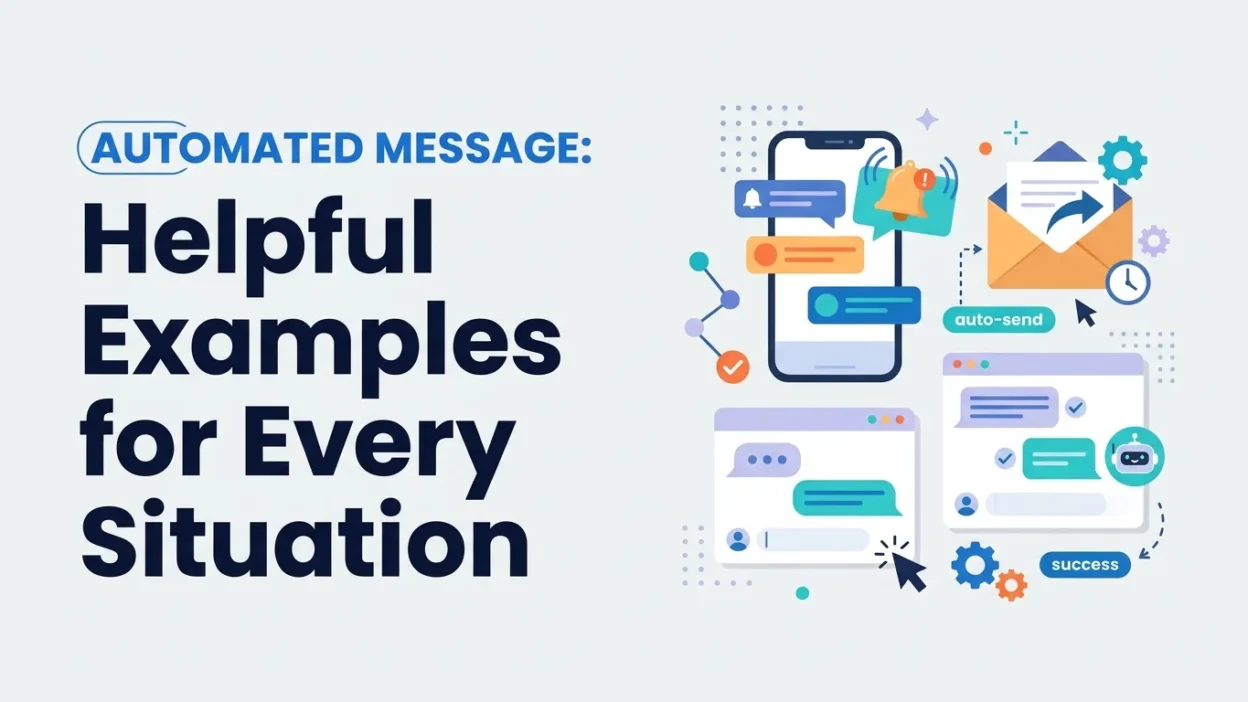
An automated message makes communication easier by sending a reply or notification without requiring someone to type it manually each time. Businesses use automated messages to welcome customers, confirm orders, answer common questions, share appointment reminders, and provide updates. Meanwhile, individuals use them for email away messages, missed calls, and personal notifications.
Whether you need a professional automated message for work or a friendly reply for customers, the right words can save time and keep communication clear. In this guide, you’ll find ready-to-use examples for email, customer service, WhatsApp, business communication, appointments, deliveries, and more.
What Is an Automated Message?
An automated message is a prewritten message that a system sends automatically after a specific action or event. For example, a customer may receive an order confirmation immediately after purchasing a product. Similarly, someone who emails you while you are on vacation may receive an automatic reply explaining when you will return.
Automated messages are useful because they provide quick information without requiring a person to respond manually. They can also help businesses maintain consistent communication with customers.
Common examples include:
- Automatic email replies
- Order confirmation messages
- Appointment reminders
- Customer service responses
- Welcome messages
- Delivery notifications
- Missed-call text messages
- Out-of-office messages
- Payment reminders
- Password reset notifications
Although automated messages are sent by a system, they should still sound natural, polite, and helpful.
Why Automated Messages Are Important
Automated messages help people receive important information at the right time. Instead of waiting for a manual response, customers and colleagues can immediately understand what happens next.
For businesses, automation can reduce repetitive work. For individuals, it can help manage communication when they are busy, unavailable, or away from their inbox.
Here are some important benefits:
- Save time: Send routine messages without typing them repeatedly.
- Improve communication: Provide quick updates and confirmations.
- Build trust: Let customers know their requests have been received.
- Reduce confusion: Share clear information about next steps.
- Provide consistent service: Use the same helpful wording for similar situations.
- Manage expectations: Explain when someone can expect a response.
However, automation works best when messages are short, accurate, and easy to understand.
Professional Automated Message Examples
Professional automated messages are useful for workplaces, business emails, customer support, and official communication. They should be polite and direct while providing the information the recipient needs.
General Professional Automated Message
Thank you for your message. We have received your email and will respond as soon as possible. We appreciate your patience and understanding.
Professional Automatic Email Reply
Thank you for contacting me. Your message has been received, and I will review it shortly. I will get back to you as soon as possible.
Formal Business Automated Message
Thank you for reaching out to us. Your inquiry has been received and forwarded to the appropriate department. Our team will contact you as soon as possible.
Automated Message for a Busy Schedule
Thank you for your message. I am currently attending to other responsibilities and may not be able to respond immediately. I will reply as soon as I am available.
Short Professional Automated Message
Thank you for your email. I have received your message and will respond shortly.
Automated Email Message Examples
Email automation is useful when you cannot respond immediately or when you want to confirm that a message has reached the correct inbox.
General Email Auto-Reply
Thank you for your email. Your message has been received. I will review it and respond as soon as possible.
Email Confirmation Message
Thank you for contacting us. This is an automatic confirmation that we have received your email. A member of our team will respond shortly.
Email Auto-Reply for a Delayed Response
Thank you for your message. We are currently experiencing a high volume of emails, so our response may take a little longer than usual. We appreciate your patience and will get back to you as soon as possible.
Email Message for Weekends
Thank you for your email. Our office is currently closed for the weekend. We will review your message when business hours resume.
Email Auto-Reply for Public Holidays
Thank you for contacting us. Our office is closed for the holiday. We will respond to your message when we return. Thank you for your understanding.
Out-of-Office Automated Messages
An out-of-office message informs people that you are unavailable and explains when they can expect a response. It is especially helpful during vacations, business trips, personal leave, and holidays.
Simple Out-of-Office Message
Thank you for your email. I am currently out of the office and will respond when I return.
Vacation Automated Message
Thank you for your message. I am currently on vacation and will return on [date]. I will respond to your email as soon as possible after my return.
Out-of-Office Message With an Alternative Contact
Thank you for contacting me. I am currently out of the office until [date]. If you need immediate assistance, please contact [name] at [email address]. Otherwise, I will respond when I return.
Sick Leave Automated Message
Thank you for your email. I am currently away from work due to illness and may not be able to respond promptly. I will get back to you when I am available.
Business Trip Automated Message
Thank you for your message. I am currently traveling for business and may have limited access to email. I will respond as soon as my schedule allows.
Customer Service Automated Messages
Customer service automation helps businesses respond quickly and keep customers informed. These messages should acknowledge the customer’s concern and explain what happens next.
Customer Support Confirmation
Thank you for contacting customer support. Your request has been received, and our team is reviewing it. We will respond as soon as possible.
Customer Service Welcome Message
Hello! Thank you for contacting us. We’re happy to help. Please share your question or concern, and our team will assist you shortly.
Customer Support After-Hours Message
Thank you for reaching out. Our customer support team is currently offline. Please leave your message, and we will respond during our regular business hours.
Automated Message for a Busy Support Team
We’re currently helping other customers. Your message is important to us, and a team member will respond as soon as possible. Thank you for your patience.
Customer Feedback Request
Thank you for contacting our support team. We hope we were able to help. Your feedback is valuable and helps us improve our service.
Automated Messages for Businesses
Businesses can use automated messages to welcome customers, answer inquiries, and share important updates. The best messages sound friendly while maintaining a professional tone.
Business Welcome Message
Welcome to [Business Name]! Thank you for contacting us. Please let us know how we can help you today.
Business Inquiry Confirmation
Thank you for your inquiry. We have received your request and will contact you shortly with more information.
Business Hours Message
Thank you for contacting [Business Name]. Our business hours are [days and times]. Please leave your message, and we will respond during our next working period.
Business Follow-Up Message
Hello [Name], thank you for your interest in [product or service]. We wanted to follow up and see if you have any questions. We’re happy to help.
Business Thank-You Message
Thank you for choosing [Business Name]. We appreciate your support and look forward to serving you again.
Automated Messages for WhatsApp
WhatsApp automated messages are useful for businesses, online stores, service providers, and personal communication. They can welcome new customers, confirm messages, or let people know when you are unavailable.
WhatsApp Welcome Message
Hello! Thank you for messaging us. We have received your message and will get back to you shortly.
WhatsApp Business Greeting
Welcome to [Business Name]! We’re glad you’re here. Please tell us what you need, and our team will be happy to assist you.
WhatsApp Away Message
Thank you for your message. We are currently unavailable but will respond as soon as we can. Thank you for your patience.
WhatsApp After-Hours Message
Thanks for contacting us! Our team is currently offline. We’ll reply during our business hours: [hours].
WhatsApp Quick Reply
Thank you for reaching out. Please share your name and the details of your request so we can assist you better.
Automated Messages for Online Orders
Online stores use automated messages to confirm purchases and keep customers updated throughout the order process.
Order Confirmation Message
Thank you for your order! We have received your purchase and are preparing it for processing. You will receive another update when your order ships.
Order Received Message
Your order has been successfully received. Thank you for shopping with us. We’ll notify you when your order is ready.
Order Processing Message
Good news! Your order is now being processed. We’ll send you a shipping update as soon as it is on its way.
Order Shipped Message
Your order has been shipped! You can track your package using this link: [tracking link]. Thank you for shopping with us.
Order Delivered Message
Your order has been delivered. We hope you enjoy your purchase! Thank you for choosing [Business Name].
Automated Delivery Messages
Delivery notifications help customers understand where their packages are and when they may arrive.
Delivery Confirmation
Your package has been delivered. Thank you for your order!
Out-for-Delivery Message
Your package is out for delivery and should arrive soon. Please keep your phone available in case the delivery driver needs assistance.
Delivery Delay Message
We’re sorry, but your delivery has been delayed. We are working to get your package to you as soon as possible. Thank you for your patience.
Failed Delivery Message
We were unable to complete your delivery. Please contact us at [contact information] to arrange another delivery attempt.
Delivery Feedback Message
Your order has arrived! We hope everything is perfect. Please let us know if you need any assistance or have feedback to share.
Automated Appointment Messages
Appointment automation helps businesses reduce missed appointments and keep schedules organized. These messages are useful for doctors, salons, consultants, tutors, and other service providers.
Appointment Confirmation
Your appointment has been confirmed for [date] at [time]. We look forward to seeing you.
Appointment Reminder
This is a friendly reminder of your appointment with [Business Name] on [date] at [time]. Please contact us if you need to reschedule.
Appointment Rescheduling Message
Your appointment has been rescheduled to [new date] at [new time]. Please let us know if this time does not work for you.
Appointment Cancellation Message
Your appointment scheduled for [date] at [time] has been canceled. Please contact us if you would like to book another appointment.
Appointment Follow-Up
Thank you for visiting us today. We hope you had a positive experience. Please contact us if you have any questions or need further assistance.
Automated Messages for Missed Calls
Missed-call messages are useful when you cannot answer your phone. They let callers know you received their call and provide a simple way to continue the conversation.
Simple Missed-Call Message
Hi, sorry I missed your call. I’m unavailable at the moment, but I’ll call you back as soon as possible.
Professional Missed-Call Message
Thank you for calling. I am currently unable to answer. Please leave a message or send me a text, and I will get back to you shortly.
Business Missed-Call Message
Thank you for calling [Business Name]. We’re unable to answer right now. Please leave your name and contact details, and our team will return your call as soon as possible.
Friendly Missed-Call Message
Hey! Sorry I missed your call. I’m tied up right now, but I’ll get back to you soon.
Missed-Call Message for Customers
Hello! We noticed your call and apologize for missing it. Please let us know how we can help, and we’ll contact you as soon as possible.
Automated Messages for Payments
Payment notifications help customers understand whether a payment has been received, is pending, or needs attention.
Payment Confirmation
Thank you! Your payment has been received successfully. We appreciate your business.
Payment Received Message
Your payment of [amount] has been received. Thank you for your purchase.
Payment Reminder
This is a friendly reminder that your payment of [amount] is due on [date]. Please contact us if you have any questions.
Payment Pending Message
Your payment is currently being processed. We will notify you once the transaction is complete.
Failed Payment Message
We were unable to process your payment. Please check your payment details or try another payment method. Contact us if you need assistance.
Automated Messages for New Customers
A welcome message creates a positive first impression and helps new customers understand how to get started.
New Customer Welcome
Welcome to [Business Name]! We’re excited to have you with us. Let us know if you have any questions or need help getting started.
New Subscriber Message
Thank you for subscribing! You’ll now receive updates, helpful information, and special offers from us.
New Account Confirmation
Your account has been successfully created. Welcome to [Platform Name]! You can now sign in and explore our services.
New Customer Follow-Up
Thank you for choosing us. We hope your experience has been smooth so far. If you need help, our team is always happy to assist.
Friendly Automated Messages
Automated messages do not need to sound cold or robotic. A friendly tone can make communication feel more personal while still saving time.
Friendly General Reply
Hi! Thanks for your message. I’ve received it and will get back to you as soon as I can.
Friendly Business Reply
Hello! Thanks for reaching out. We’re happy to help and will respond shortly.
Friendly Away Message
Hey there! I’m away from my phone right now. Leave me a message, and I’ll reply when I’m back.
Friendly Customer Confirmation
Thanks for contacting us! Your message is safely in our inbox. We’ll be in touch soon.
Short Automated Messages
Sometimes a short message is all you need. These examples work well for email, text messages, chat systems, and business notifications.
- Thank you for your message. We’ll respond shortly.
- Your request has been received.
- Thanks for contacting us. We’ll be in touch soon.
- We’re currently unavailable. Please leave a message.
- Your order has been confirmed. Thank you!
- Your appointment is confirmed for [date] at [time].
- We’ve received your payment. Thank you.
- Your message is important to us.
- We’ll get back to you as soon as possible.
- Thank you for your patience and understanding.
How to Write an Effective Automated Message
A good automated message should be easy to understand and provide useful information. It should not make the recipient guess what happens next.
Keep the Message Short
Most people read automated messages quickly. Therefore, use simple language and avoid unnecessary details. A few clear sentences are usually enough.
Explain Why the Message Was Sent
Tell the recipient whether the message confirms an order, acknowledges an email, or provides an appointment reminder. This makes the purpose immediately clear.
Include the Next Step
If the recipient needs to wait, contact someone, or provide information, explain what they should do next.
Use a Friendly Tone
Even a formal message can sound warm. Phrases such as “Thank you for your patience” and “We’re happy to help” make communication more welcoming.
Avoid False Promises
Only promise a response time if your team can realistically meet it. For example, do not say “We’ll respond within one hour” unless that is a reliable service standard.
Personalize When Possible
Using a customer’s name, order number, appointment time, or business name can make an automated message more useful.
Common Mistakes to Avoid
Automated messages can create frustration when they are unclear or poorly timed. Avoid these common mistakes:
- Sending messages that are too long
- Using confusing or overly technical language
- Providing outdated contact information
- Promising a response time you cannot meet
- Sending too many notifications
- Forgetting to include important details
- Making the message sound impersonal
- Failing to explain what happens next
Most importantly, make sure automated messages are accurate and relevant to the situation.
Frequently Asked Questions
What is an automated message?
An automated message is a prewritten message sent automatically by a system after a specific action or event. Examples include email replies, order confirmations, appointment reminders, and customer service notifications.
What is a good automated message?
A good automated message is short, polite, clear, and helpful. It confirms the message or request and explains what the recipient can expect next.
How do I write an automated reply?
Start by thanking the person for contacting you. Then confirm that their message was received, explain when they can expect a response, and provide an alternative contact if needed.
What is an example of an automated email reply?
“Thank you for your email. Your message has been received, and I will respond as soon as possible. Thank you for your patience.”
Can automated messages sound friendly?
Yes. Use natural language, warm greetings, and simple wording. For example, “Hi! Thanks for reaching out. I’ve received your message and will get back to you soon.”
Why do businesses use automated messages?
Businesses use automated messages to save time, respond quickly, confirm transactions, provide updates, and improve customer communication.
What should an automated message include?
Depending on the situation, it should include a greeting, confirmation, relevant details, expected response time, and next steps.
Conclusion
Automated messages make everyday communication faster, clearer, and more convenient. Whether you need an automatic email reply, a customer service response, a WhatsApp greeting, or an order notification, the best message is one that gives people the information they need without making them wait.
Use these examples as a starting point, then customize them with your business name, contact details, dates, and other relevant information. With clear wording and a friendly tone, automated messages can save time while helping you maintain professional and helpful communication.